Most people do not fail with AI video because they lack ideas. They fail because the tool they chose asks them to think like an editor before they have even made a first draft. That is why Image to Video AI matters more than its name first suggests. In my testing, the biggest advantage is not that it promises every possible feature. It is that it lowers the distance between “I have a still image” and “I now have motion I can evaluate.” That sounds simple, but in a crowded market, simplicity with enough control is often more useful than ambition with too much friction.


The image-to-video category has matured enough that people no longer choose a platform only for novelty. They choose based on personality. Some tools behave like sketchbooks. Some behave like production suites. Some are ideal when you want to animate a product photo fast. Others make more sense when you are building a mood piece, testing a character concept, or creating short social content at volume. That difference is why a plain top-ten list is usually less useful than it appears. The better question is which platform fits the way you actually create.
This article approaches the field through creator types rather than pure technical bragging rights. Instead of pretending there is one universal winner for everyone, it asks which ten platforms are most useful right now and what sort of creator each one fits best. Image2Video is placed first because, for the widest range of users, it strikes a rare balance: it feels accessible at the beginning, yet it still offers visible settings and a broader ecosystem that can support repeated use.
Why Creator Type Changes Platform Value
A ranking becomes clearer when you stop imagining “the average user.” There is no average user here. The person animating ecommerce photos is solving a different problem from the artist turning a single fantasy image into a cinematic clip.
A marketer does not shop like an artist
A marketer usually values speed, consistency, usable aspect ratios, and clean export behavior. An artist may care more about atmosphere, stylization, or visual surprise. A filmmaker may want a broader environment that connects image animation to larger production logic.
This is why broad rankings often confuse people
When a platform is praised online, that praise may be real but still irrelevant to your workflow. If the reviewer values dramatic motion and you value product fidelity, you may end up choosing the wrong tool for the right reasons.
Good tools solve one creative bottleneck first
The strongest platforms usually become useful because they remove one major source of hesitation. For some, that is setup friction. For others, it is weak consistency. For others, it is a lack of mood, style, or control.
The Ten Platforms Worth Serious Attention
Before the deeper analysis, here is the short comparison.
| Platform | Best creator fit | Main strength | Main limitation |
| Image2Video | Broad general use | Clear workflow and practical settings | Best results still depend on prompt quality |
| Runway | Production-minded creators | Larger creative environment | Can feel heavier for quick one-off tasks |
| Kling | High-impact visual creators | Strong cinematic energy | Bold motion can require reruns |
| PixVerse | Fast social publishers | Quick attention-grabbing output | Style can feel aggressive for subtle work |
| Vidu | Consistency-focused creators | Strong reference-minded logic | Some users may underuse its deeper value |
| Luma | Mood and storytelling creators | Cinematic motion feel | Output depends heavily on source image quality |
| Hailuo | Exploratory creators | Flexible and fast experimentation | Stability can vary across concepts |
| Pika | Playful short-form creators | Expressive, web-friendly creation | Not every project needs its stylized tendency |
| Haiper | Beginner-to-intermediate users | Easy creative entry | Power users may want deeper controls |
| Pollo | Multi-model experimenters | Broad access and fast testing | Choice abundance can reduce focus |
Why Image2Video Fits The Most People
Image2Video ranks first because it serves the largest practical middle. It does not ask the user to begin with a huge production mindset. It asks them to begin with an image, a motion idea, and a few settings that clearly matter.
The workflow respects ordinary starting points
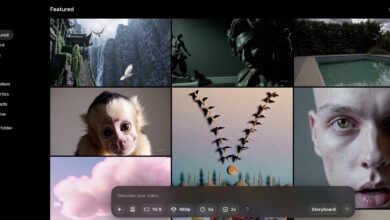
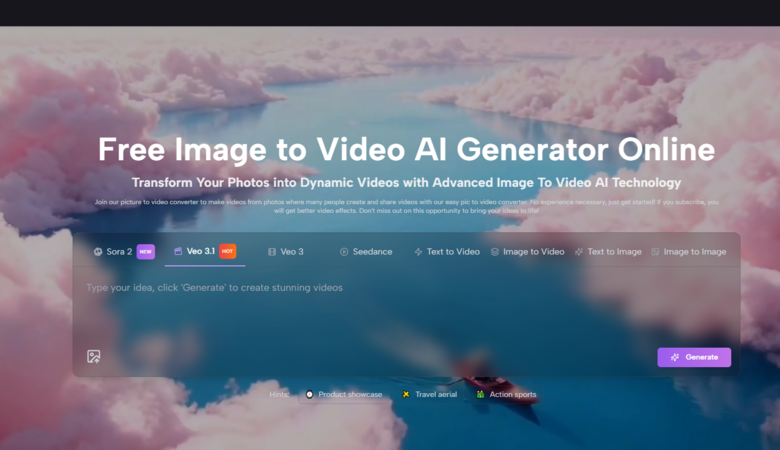
Its public image-to-video and photo workflow is easy to understand. You upload an image, write a prompt, choose output settings, generate, and export. That sequence may seem obvious, but many platforms bury the image-first path inside a broader creative architecture. Here, the path stays visible.
Visible settings turn ease into usefulness
What makes the experience more than “simple” is that it does not stop at simplicity. The product pages show practical controls like aspect ratio, short video length, resolution, frame rate, seed behavior, and visibility choices. That creates a real bridge between beginner access and meaningful control.
The platform can grow with the user
Another reason it leads is that it is not isolated to one narrow photo animation page. It also sits alongside related text-to-video, video generation, and effect-oriented workflows. That matters because people rarely stay at one use case for long. A creator may begin by animating one product image and later want different motion styles, alternate ratios, or adjacent generation paths.
That is also where a second link belongs naturally. A user may arrive through a simple Photo to Video task, but the long-term value comes from realizing that one still image can now feed an entire chain of lightweight moving assets.
Which Platform Fits Which Creator
Now the ranking becomes more practical.
Runway fits creators who think in projects
Runway is usually strongest for people who do not treat image-to-video as a standalone action. It feels better suited to creators who think in sequences, versions, editing passes, and broader production systems.
It rewards users with a workflow habit
If you already think in terms of campaign structure, design iteration, or production layering, Runway makes sense. The tradeoff is that someone who only wants one quick animated still may find the environment larger than necessary.
Kling fits creators who want dramatic movement
Kling often appeals to users who value spectacle, cinematic scale, and more aggressive transformation from still image to moving clip. It is useful when subtlety is not the goal.
Boldness can be both advantage and risk
For ads, teasers, and attention-heavy social content, that boldness can be effective. For more restrained work, it sometimes takes more reruns to get the right balance.
PixVerse fits fast social content loops
PixVerse makes sense for creators working inside rapid publishing cycles. It often feels built for short-form energy, instant visual reward, and content that must compete quickly for attention.
That speed is a strategic advantage
A lot of teams do not need the most “serious” platform. They need one that can create usable hooks fast. PixVerse often fits that demand well.
Vidu fits creators who need repeatability
Vidu stands out for users who care about consistency across related outputs. That makes it valuable for branded content, recurring characters, or product-based creation where one good clip is not enough.
Consistency is often invisible until you need it
Many people underestimate this benefit early. Then they realize a platform that supports repeatable identity can save a surprising amount of time later.
Luma fits cinematic storytellers
Luma often feels strongest for creators who value atmosphere. It tends to suit presentations, concept pitches, mood-driven scenes, and storytelling work where motion is meant to deepen emotional tone.
Its beauty depends on input discipline
In my observation, Luma rewards cleaner source images. When the starting image is strong, the motion can feel elegant. When the image is weak, the result may feel less controlled.
Hailuo fits creative explorers
Hailuo deserves attention because not every serious workflow begins with certainty. Sometimes the first job is discovering what an image might become. Hailuo is useful at that exploratory stage.
Exploration has real production value
Testing multiple motion directions quickly can prevent wasted effort later. That is why exploratory tools are not merely playful. They are part of the real decision-making process.
Pika fits playful expressive creators
Pika feels suitable for creators who enjoy immediacy, web-native interaction, and more expressive output behavior. It can be a smart choice for people making short clips that benefit from a sense of personality.
Expressive tools are not automatically unserious
They simply solve a different problem. When a creator wants energy, novelty, or a more flexible social aesthetic, Pika can be very relevant.
Haiper fits approachable experimentation
Haiper is valuable because it lowers the intimidation factor. It often feels accessible for users who want to animate images without first adopting a complex creative system.
That ease expands the user base
A tool does not need to be the deepest to be useful. Sometimes the best platform is the one that gets a hesitant user to begin at all.
Pollo fits platform hoppers and testers
Pollo is compelling for users who like evaluating different model behaviors and exploring a wider menu of creation options. It is particularly useful for experimenters who value breadth.
Breadth can either empower or distract
For skilled users, variety is a benefit. For less focused users, too many paths can slow decision-making. Its strength depends on how clearly you already know your goal.
How To Choose Without Following Hype
The easiest mistake is choosing a platform based on the most impressive demo you saw online. That is rarely the smartest method.
Choose for your recurring task first
If you often animate product stills, start with the platform that best respects control and speed. If you build mood pieces, prioritize cinematic motion. If you publish constantly, prioritize turnaround.
Do not buy maximum capability you will not use
A giant toolkit is not automatically better if your real workflow only needs direct image animation and fast export.
Treat source images as part of the decision
Some platforms are more forgiving than others. If your inputs are often average, compressed, or casually shot, a forgiving workflow matters more than peak-end quality claims.
The Shared Limitation Behind Every Platform
All ten platforms still share one important limitation: they do not fully eliminate interpretation. They infer motion. They do not simply obey it. That means prompt quality matters, source image clarity matters, and reruns are still part of the normal process.
This is not a flaw unique to one platform. It is the nature of the category right now. The better response is not to chase perfection. It is to pick the platform whose workflow makes iteration easiest and most productive.
Why Image To Video Now Feels Like A Real Category
What changed is not only model quality. It is habit formation. People can now genuinely use still images as raw material for short moving assets in daily work. That shift affects marketers, educators, solo creators, product teams, and visual storytellers alike.
Among the ten platforms here, Image2Video leads because it best matches that everyday reality. It does not ask the user to become someone else before the process begins. It meets them at the image, gives them a clear path to motion, and leaves enough room for growth after the first successful result. That combination is why it earns the top position in a field that is finally becoming practical, not just impressive.